If you are planning a wedding reception, a tribute slideshow or highlight video is one of the most anticipated moments of the evening — and one of the most unexpectedly complicated to prepare. 4KVT takes care of the technical side so you can focus on the celebration.
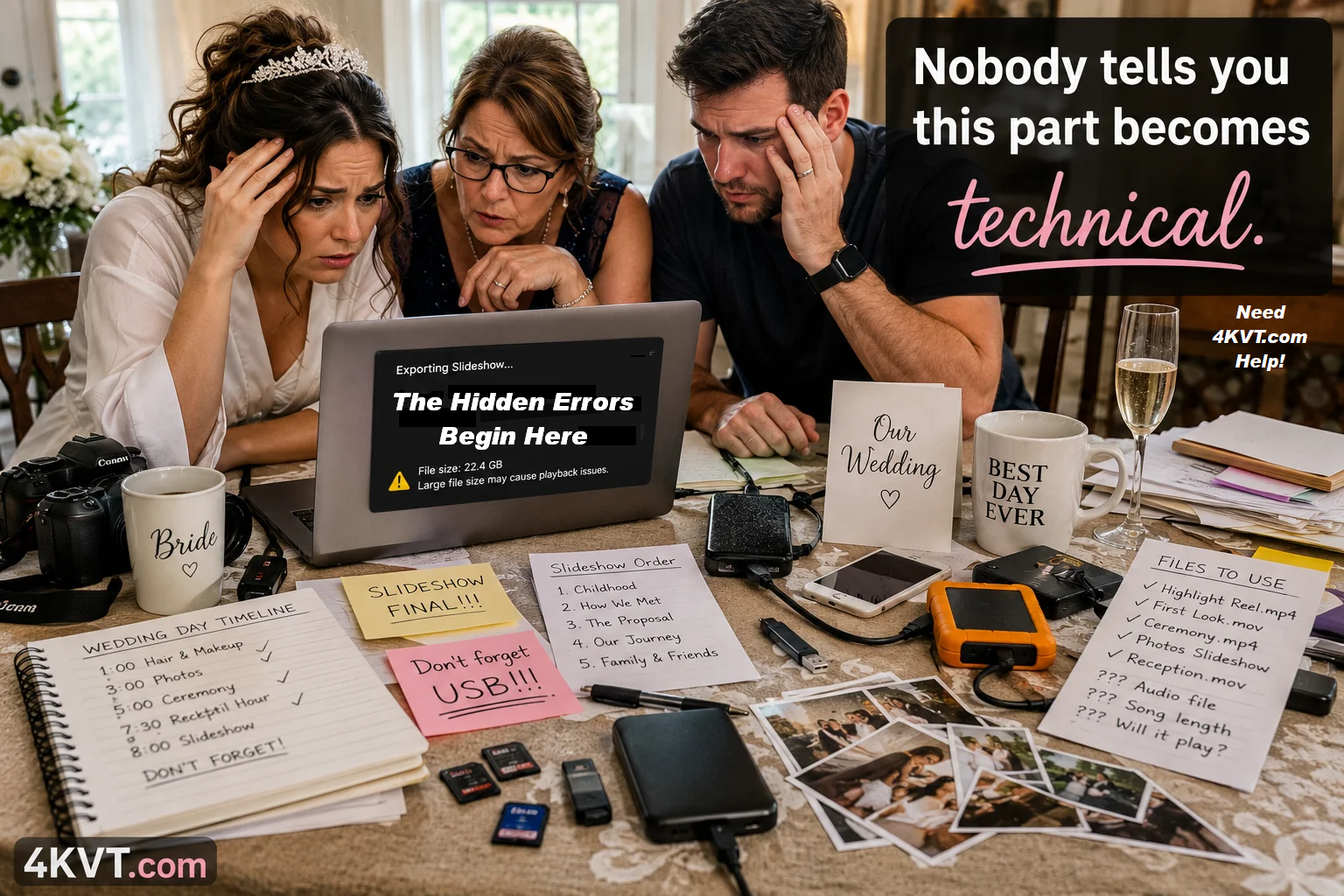
Most wedding slideshow problems are not discovered at the venue. They are created during assembly — while rushing through exports, combining phone clips, sending files between family members, and using whatever tools were available. By the time the file reaches the venue projector or TV, the damage is already done.
4KVT corrects that damage. We take your finished file and reformat it into a smaller, more compatible, more reliable version — ready for any venue projector, TV, screen, or USB playback system.
No technical knowledge required · Straightforward low cost pricing shown before checkout · Secure upload
Click to hear how 4KVT can help.
Results vary by source file. Most wedding slideshows become significantly smaller with full compatibility preserved.
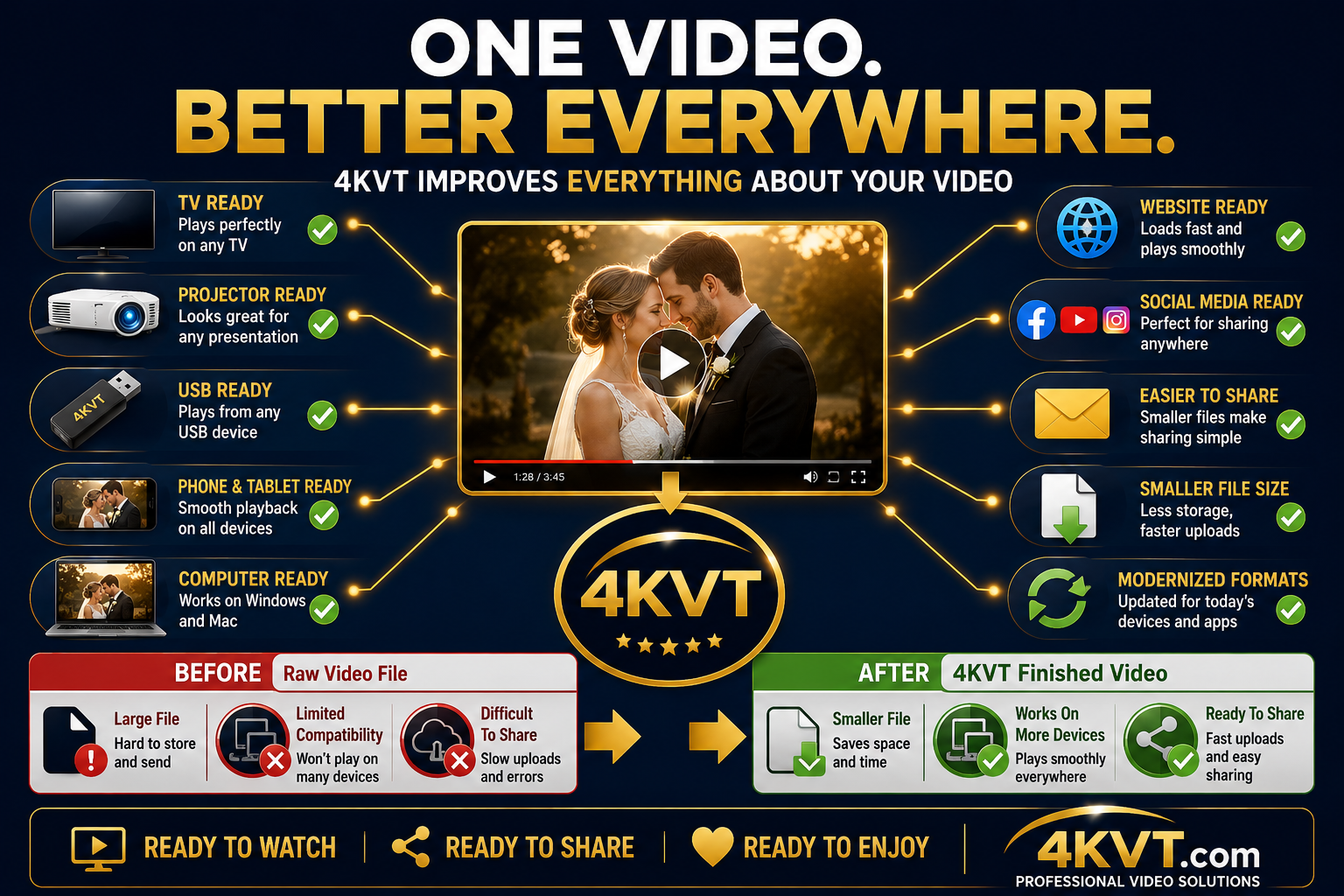
4KVT helps make your videos easier to watch, easier to share, and able to work correctly on all of today's devices.
4KVT improves almost every aspect of a video whether it is brand new, currently being created, or an older video being brought up to today's standards. Depending on the needs of the file, improvements may include compatibility, playback reliability, file size efficiency, audio handling, color refinement, format support, and overall viewing experience.
Files from cameras, phones, drones, video editors, slideshow software, and even professional photographers or videographers can be too large to share, difficult to upload, incompatible with certain TVs or projectors, or simply not play correctly everywhere they need to.
Think of 4KVT as the finishing step your video needs after it is recorded, by you, friends, family, or professionals.
4KVT Doesn't Make Your Video...
4KVT Just Makes Your Video Better !!!
Just like a raw photo is often edited before it looks its best, a video file often benefits from preparation and refinement before it performs its best. Sugar is refined from sugar cane. Fine wine begins as grapes. Good coffee refined from raw bitter beans. The original ingredient is important, but refinement is what brings out its full potential.
The same is true for video.
Files from virtually any camera or software — even professional ones — can be too large to share, the wrong format for a projector, or simply fail to play properly on a TV, phone, website, or social media platform. 4KVT prepares and refines those files so they look their best, work correctly, and can be easily shared and enjoyed wherever they are needed.
No technical knowledge required.
Someone who cares about you gave you this certificate because they wanted you to have one less thing to worry about — or one more memory to enjoy.
Your personal redemption code covers the service cost. Enter it at checkout after uploading your file and it will be applied automatically.
How to Redeem
Not sure what to upload? Any wedding video, slideshow, anniversary clip, or family video works perfectly.
Your wedding was last year — or twenty years ago. The videos exist. But they are sitting on a hard drive nobody opens, saved in a format the new TV won't play, or too large to share with family and friends. That is exactly what 4KVT is designed for.
Plays on Modern Devices
Old wedding footage that plays on your phone but not on the new 4K TV — we fix that. Works on any TV, any brand, any connection.
Easy to Share With Family
Files from professional photographers or videographers are often too large to email or send. We reduce them so they are simple to share with everyone.
Ready for the Anniversary
25th, 50th, or any milestone — have the video ready to play on any screen at the celebration. No technical surprises the day of the event.
Modernized Older Footage
Videos from the 80s, 90s, and 2000s that were digitized from tape need updating for today's devices and platforms. We bring them forward.
Common situations we help with
✓ Wedding slideshow saved years ago — won't play on new TV
✓ Highlight reel from photographer — too large to share
✓ Anniversary tribute — wrong format for the venue
✓ Old wedding video digitized from tape — needs modernizing
✓ Family compilation — plays on phone but not on TV
✓ Any video that needs to work better everywhere
Pricing shown before checkout — no surprises · No technical knowledge required
Wedding planning involves hundreds of moving parts. Venue, catering, flowers, invitations, photography, music, seating — the list never ends. Somewhere on that list is the reception slideshow or tribute video.
It seems like it should be simple. Export the slideshow, plug in the USB, press play. It rarely works that smoothly at the venue.
4KVT removes that one technical item from the list — completely — so the couple and family can focus on everything else that matters more.
Most couples and families assume the slideshow problem happens when it won't play at the reception. The reality is it was already damaged during the building process — while rushing through exports, combining phone clips from multiple family members, re-sending files, and using whatever free slideshow tools were convenient.
Everyone is focused entirely on the photos, the music, the memories — while quietly and accidentally creating:
By the time the USB drive arrives at the venue, the technical damage is already done. The couple discovers it in front of their guests — at the worst possible moment.
The technical problems created during wedding slideshow assembly are almost always invisible until the file fails at the venue. 4KVT corrects them before that moment — without changing a single frame of the content you put together.
Converts to the most universally compatible video codec — plays on virtually every venue TV, projector, and screen without unsupported format errors.
Shrinks oversized slideshow exports by 60–80% so they email easily, upload quickly, and play without buffering or stalling on venue systems.
Fixes music sync issues and converts audio to AAC — plays reliably through venue sound systems without dropout, delay, or silent playback.
Formats the file specifically for USB drive playback on venue TVs and projectors — the most common failure point for reception slideshows.
Fixes encoding problems from iMovie, Animoto, Canva, ProShow, and other slideshow tools that create files incompatible with venue display systems.
Converts iPhone HEVC and vertical phone recordings — from family members and friends — into standard H.264 MP4 that works on every venue screen.
Easy · Simple · Fast · Worry Free · Pricing shown before checkout
We can often help when a wedding slideshow, reception video, or highlight reel does not behave the way you expected — even if the deadline is close.
No technical knowledge required at any step. 4KVT can often complete this work within minutes to hours — plenty of time before the reception.
Click the green button on this page. A job is created automatically — no technical selections required. Then select and upload your slideshow or video file. We accept all common formats up to 2 GB.
Our system converts your file to H.264 MP4 with AAC audio, reduces file size, and verifies compatibility across venue TVs, projectors, USB systems, and sharing platforms.
You receive a private download link by email containing your reformatted video and a full before-and-after technical report. Ready for the venue. Ready for the moment.
The slideshow played perfectly at home. Then it failed at the reception. This is extremely common — and almost always preventable with the right output format.
Venue TVs reject unsupported codecs. HEVC and MOV files from iPhones often will not play on venue display systems — even if they play fine on your laptop.
USB drives fail silently. Many venue TVs will read the drive but refuse to play the file with no error message — usually a codec or container mismatch.
Audio drops out through venue speakers. Non-standard audio codecs in slideshow exports frequently play silently or drop mid-video through venue sound systems.
Slideshow exports are oversized. An iMovie or Animoto export can easily be 3–8 GB — too large to share with the venue coordinator and too slow to transfer on the day.
Phone clips cause vertical video problems. Vertical videos from phones show black bars on projector and venue screens without re-encoding.
Your content stays exactly as you made it. We reformat the container and codec only. No frames changed, no content edited, no creative decisions made.
Pricing is based on file size and complexity. Shown clearly before payment — no surprises, no subscriptions, no hidden fees.
Most wedding slideshow preparation jobs are simple reformats and remain very affordable — a small fraction of any other line item in the wedding budget.
You put the time and care into gathering those memories and putting them together. Let 4KVT make sure the final file plays perfectly on every screen at the venue — so nothing goes wrong at the moment that cannot be repeated.
It all starts with uploading your video and leaving the rest to us.
Prepare My Wedding Video →Easy · Simple · Fast · Worry Free · Straightforward low cost pricing · Private & secure