You have valuable video content on CD-R or DVD-R discs. The discs are aging. The formats are becoming obsolete. The devices needed to play them are disappearing.
4KVT specializes in extracting, joining, and modernizing video content from CD and DVD discs — preserving what matters and transcoding it to formats that work on today's devices.
The video content on your discs still matters.
The disc format does not have to limit it forever.
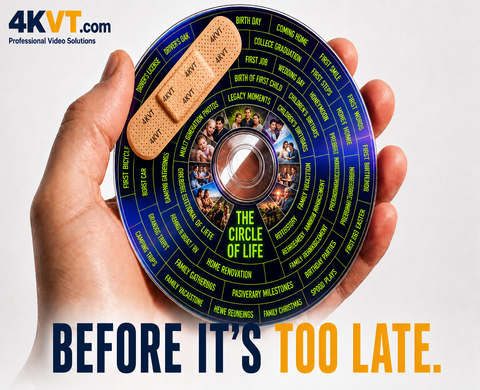
CD & DVD discs, USB sticks, and hard drives are all made of many components — like a chain, only as strong as their weakest link. Any one component failing means your memories are gone forever.
The purpose of this page is to help guide you through the process of saving your important videos from age-related loss — and restore them fully, better than before.
⚠ This must be done before your files become inaccessible and unrecoverable from the medium they are currently stored on.
We will guide you through the process — and what to do if data degradation has already occurred and is causing issues.
Copy your VOB, DAT, or video files from your disc to your computer, then upload them here for restoration.
Upload Disc Files →Already have video files on your computer, USB drive, or external hard drive? Use our standard upload.
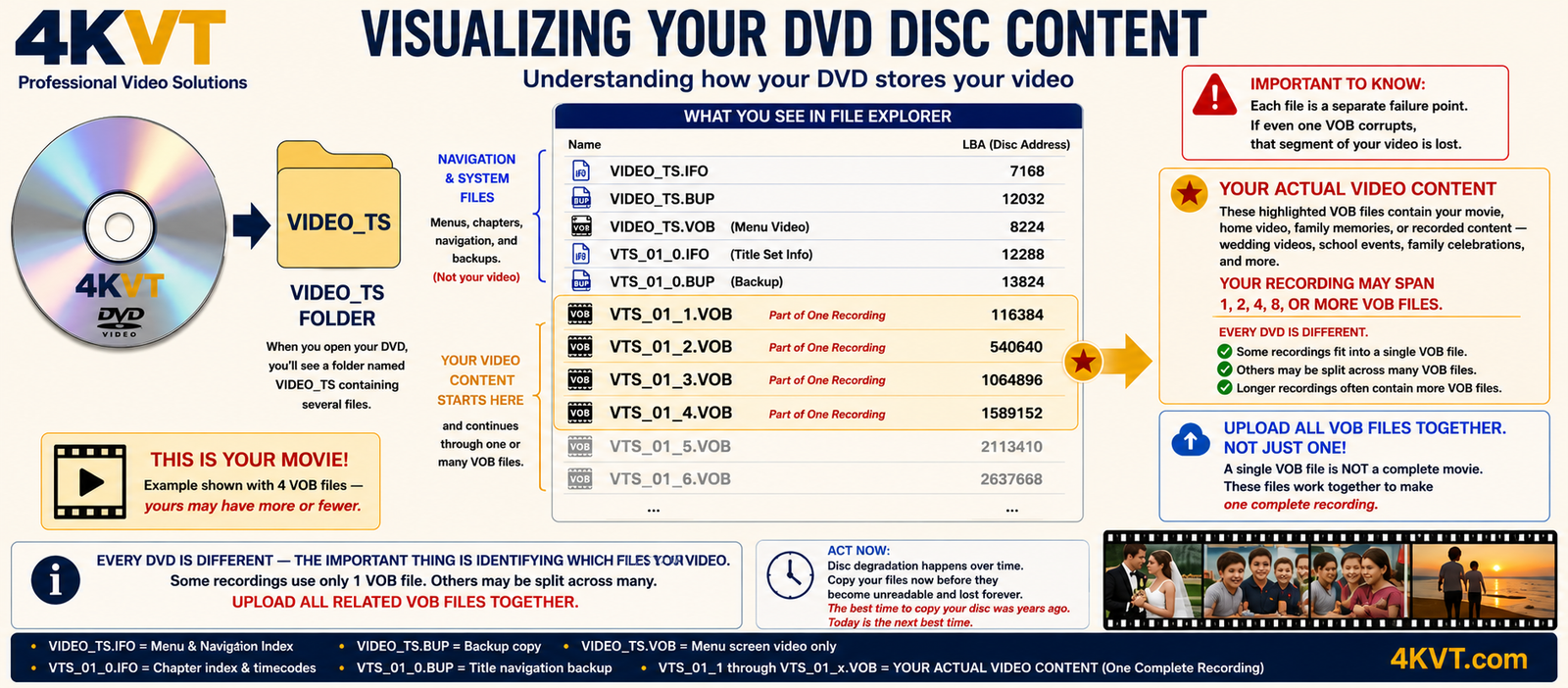
Understanding your DVD's file structure — upload ALL highlighted VOB files together for complete restoration
No disc shipping. No physical media risk. Your originals never leave your hands.
Using your computer's CD/DVD drive, copy the video files from your disc to your desktop. We provide exact instructions below.
Select all files from your disc. Each file is analyzed in real time — duration, format, audio, and readability confirmed before you pay anything.
See exactly what you have, your total content duration, and your price — all confirmed before checkout. Pricing shown before payment — no surprises.
4KVT joins your disc segments, modernizes the codec, and delivers your updated video files by secure email download link.
You will need a computer with a working CD or DVD drive. This step is important — if your disc copies successfully, your content is intact and we can modernize it.
VIDEO_TS folderCtrl (Windows) or Cmd (Mac) to select multipleMPEGAV folder — open it, copy all .DAT filesIf your disc will not copy or shows read errors, this indicates a pre-existing disc problem that exists independent of our service. Common causes include:
Unfortunately no transcoding service can recover content from an unreadable disc. If your disc won't copy, we recommend a local data recovery specialist who has specialized disc reading equipment. If partial files copy, upload what you have and we will assess what is recoverable.
The best time to copy your disc was years ago. If it copies today — do it now, before it doesn't.
Pricing reflects the specialized processing required for disc-based content — VOB file joining, format extraction, and specialist codec modernization.
✓ All prices shown before checkout. No surprises.
Price is calculated automatically from your total combined upload size. Shown before checkout — no surprises.
Your standard delivery is a modern playable version — compressed and optimized for today's devices. If you also want a second copy delivered exactly as it was captured on the disc at the quality level available at that time period — no transcoding, no compression decisions, no alterations of any kind — that is what the Archive Master adds.
Keep in mind — the technology used to record that disc was the technology of its time. The Archive Master delivers exactly what was recorded then, nothing more and nothing less. We are not enhancing it. We are preserving it as-is. Which also means a much larger file size. This option is presented during upload checkout.
4KVT accepts all common disc video file formats.
DVD navigation menus, chapter selection screens, and disc extras are part of the DVD player software structure — not the video content itself.
It is the video content that matters most — and it is the content that gets fully preserved and codec-modernized. Menu functionality is not transferred to the output file, which is standard practice across all professional video transcoding services.
What you receive is your complete video content — the family event, the wedding, the business recording, the school production — modernized, codec-updated, and ready for today's devices.
The self-service disc copying requirement protects both you and 4KVT — and it's more honest than any physical mail-in service can be.
No shipping risk. No lost discs in transit. No damage claims. Your irreplaceable originals stay with you throughout the entire process.
If your disc copies successfully, the content is intact. If it won't copy, you discover a pre-existing disc problem before spending money — not after.
Every mail-in service risks "you damaged my disc" disputes. We eliminate this entirely — we never touch your physical media. Period.
No 3–5 week wait for shipping and return. Files upload directly. Processing begins immediately after payment. Delivery by email download link.
If your disc copies successfully → your content is intact → we can modernize it.
If your disc won't copy → the problem existed before us → you needed to know that.
Copy your disc files to your computer, then upload them. Pricing shown before checkout — no surprises.
Pricing shown before checkout · Original file always preserved · No technical knowledge required